



Features
Rehearsal-born. Stage-ready. The work you do in rehearsal carries into every gig.
The app is free on every device. Only one thing in BandBinder ever costs money: keeping every device - and every bandmate - in the same book. During early access, even that is free. See the full comparison
- Practice Mode - charts, imports, notes, reference playback
- The chart editor - ChordPro source, sections, comments
- Chords, transpose & capo - diagrams for 7 instruments
- Band Sync - fix the chart once, the whole band has it
- Performance Mode - offline, big text, setlists, pedals, printable stage sheet
Practice Mode
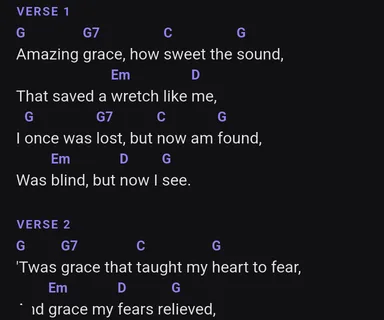
Custom charts + import
Import ChordPro, OnSong, text, and PDF, then keep the arrangement your band actually plays. Bring a text-layer PDF and convert it to an editable chart, or keep the original and perform straight from it - scanned or photographed pages included.
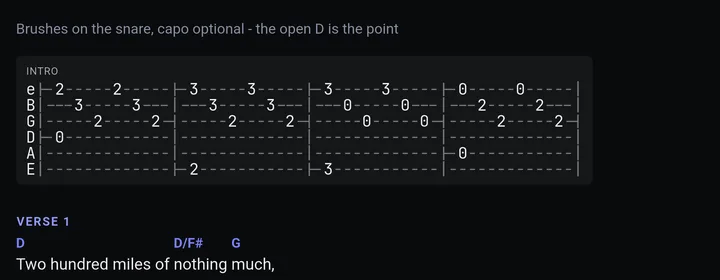
Guitar tab, right in the chart
ChordPro tab sections render alongside your lyrics and survive transposition. See the authoring guide
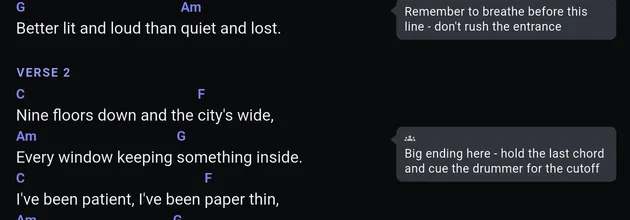
Line-anchored notes
Drop rehearsal notes on the exact line they're about, so fixes survive to next practice. Keep a note private, or pin it and it travels with the chart to every device in the band.
Reference playback
Dock a YouTube video, Spotify track, or your own mp3 beside the chart, so you hear the reference and read your chart at once.
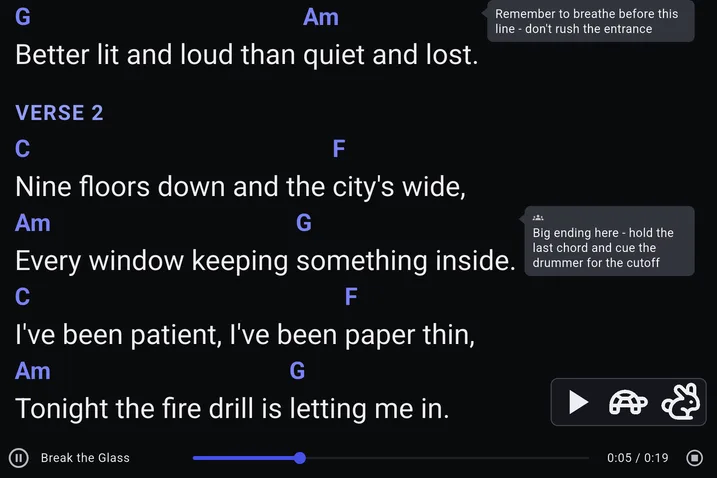
Looks right on every stage
12 curated themes tuned for legibility, not decoration - dark for stage lighting, warm for the practice room. And when the gig is outdoors at noon, Paper Stage flips Performance Mode to a print-like page that sunlight can't wash out.
Count-in, tap tempo & TV display
Tap tempo and run count-ins right from the chart screen. Plug into any TV or monitor over HDMI and mirror Performance Mode for the whole room.
The chart editor
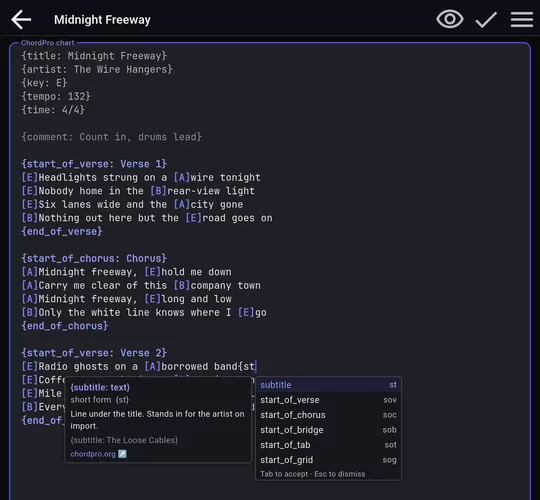
ChordPro editor with syntax highlighting
Edit the same ChordPro source your chart renders from - chords, directives, and sections highlight as you type, so mistakes stand out before they hit the stage. Type { and the editor suggests directives, with inline help for each. See the authoring guide
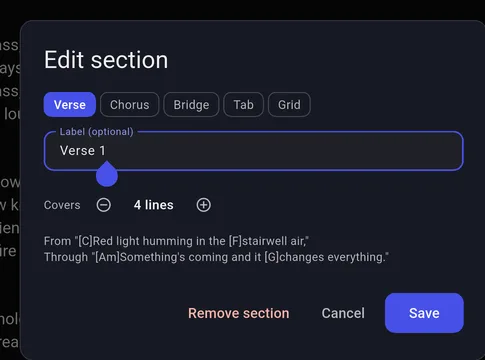
Sections & section editor
Mark verses, choruses, and bridges once, and the chart carries its own structure - retag, relabel, or resize a section without retyping a line.
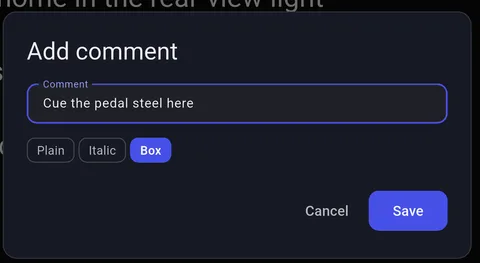
Comments & comment editor
Attach a comment to any line for arrangement notes, cues, or reminders that live right where you'll see them mid-song.
Chords, transpose & capo
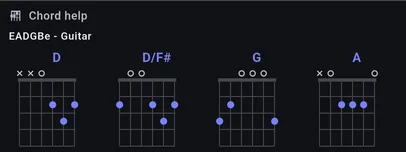
Chord Help - 7 instruments
Tap any chord for a diagram, no tab switching. Guitar, piano, 4-, 5-, and 6-string bass, ukulele, and baritone ukulele are covered.
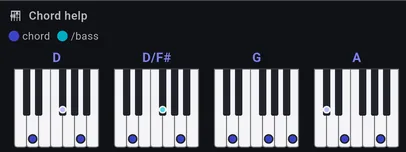
Piano diagrams, slash chords included
Keyboard players get real piano voicings, including slash chords like C/E - not just a guitar shape guessed at.
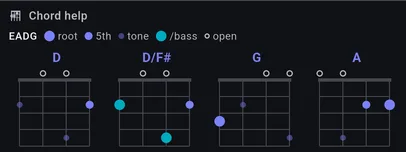
Bass diagrams with roots, 5ths & tones
4-, 5-, and 6-string layouts mark the root, the 5th, and every other chord tone right on the neck.
Ukulele, standard and baritone
Real uke diagrams in both tunings - GCEA for soprano, concert, and tenor, plus DGBE for baritone - drawn for four strings, not squeezed-down guitar shapes. Turn on only the instruments you play; the rest stay out of your way.
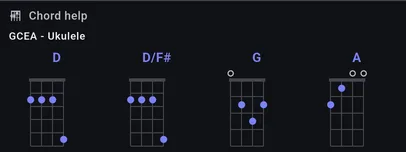
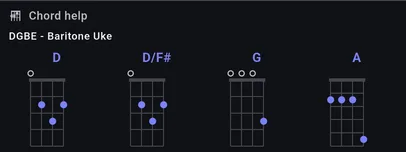
Baritone is its own tuning, not a relabel
DGBE shapes are worked out for DGBE - compare them against the GCEA set above and they are different chords under the fingers, which is exactly why a baritone player cannot just read the soprano diagram.
Transpose & capo
Shift the whole chart to a new key in one tap, or dial in a capo position - chords, diagrams, and tab all update together.
Band Sync
Fix the chart once. The whole band has it in seconds.
The fix lands in seconds, not eventually
Your band manager corrects a wrong chord and saves - every member who's online has the fix in seconds, on whatever device they're holding. Nothing to press, no texting the fix around.
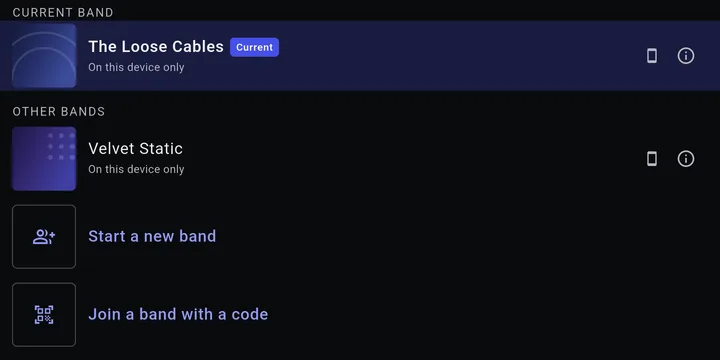
The rehearsal work travels, not just the setlist
What your band decided on Tuesday - the chart, the arrangement, the key you actually play it in - is on everyone's device. Pin a note and it travels to the whole band too, not just you.
It keeps up on stage too
A bandmate fixes a chart and your Performance Mode view updates mid-song, without leaving the chart or interrupting autoscroll.
Sync is a convenience, never a dependency
Your device's own library is the source of truth, so Performance Mode still runs with no signal, no login, and no sync at all - instant online, independent when you're not.
The market leader for bands is Apple-only, which excludes any band with a mixed lineup - which is most bands. Windows, macOS and Linux are available now, with Android and iOS in early access. One band plan covers every one of them.
Performance Mode
Offline by design
Perform with no network dependency, no login dependency, and no mid-set surprises.
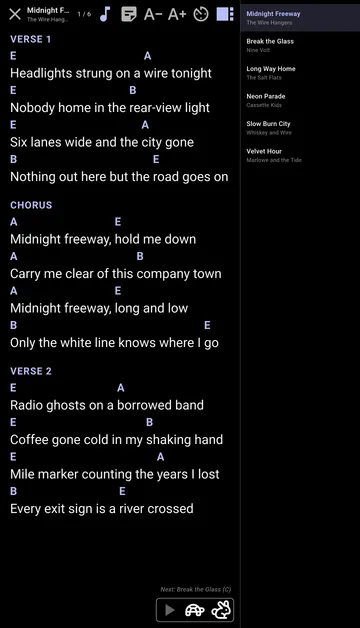
Big text + autoscroll
High-contrast charts with autoscroll tuned per song keep eyes on the music, and the setlist stays docked to the side.
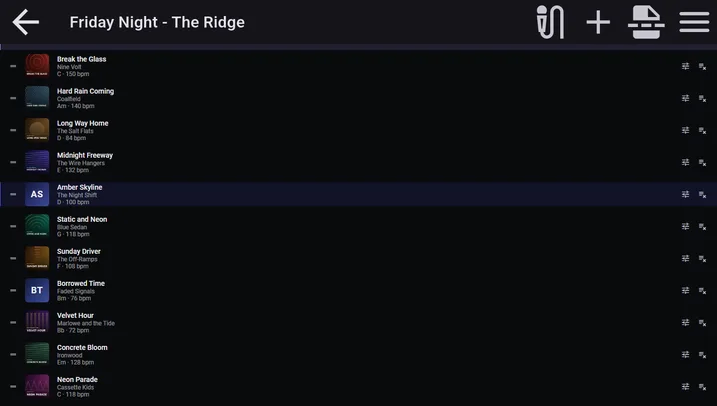
Setlists
Build and reorder songs for each set while keeping your core chart library intact.
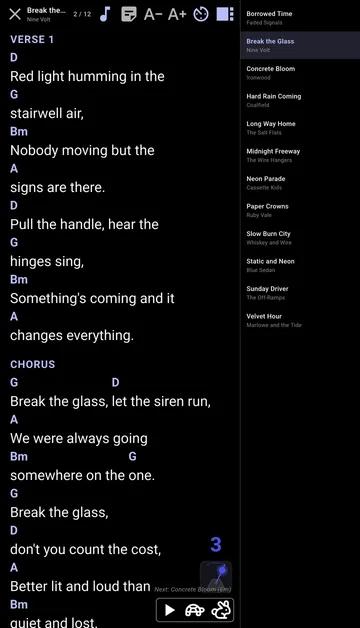
Count-in, visible on stage
Run the same tap-tempo count-in as rehearsal, with the beat count on screen - no separate metronome to fumble for before the downbeat.
Pedal support
Bluetooth pedals send familiar keys, so chart navigation works out of the box. See the Page Turners device guide
Printable stage sheet
Print any setlist (Ctrl+P) as a ready-to-read stage sheet: one big-type line per song with key, BPM, and duration, break rows subtotaled - a paper backup for the music stand when a screen isn't the answer.
The songbook your band builds in rehearsal is the one you perform with.
Download BandBinder